
First aid: do this right away
Every minute of writes to the affected drive lowers the odds. So:
- Save nothing new to the drive until the files are back, including downloads and programs.
- Don't format the drive or run repairs, even if Windows offers to for a memory card or USB stick.
- Save recovered files to a different drive from the one they came from.
- If the files were on drive C, send new apps to another drive where possible: Settings → System → Storage → Advanced storage settings → Where new content is saved.
Check first: is the file really gone?
Before you start a recovery tool, look here:
- Normally deleted files sit in the Recycle Bin. Right-click the file → Restore puts it back where it was. Files deleted with Shift + Delete skip the Recycle Bin.
- Right after deleting, Ctrl + Z in File Explorer often brings the file back.
- If File History or a backup was set up, older versions are under right-click the folder → Properties → Previous Versions.
- Files synced with OneDrive go to the OneDrive recycle bin on the web, usually for 30 days on personal accounts.
Already emptied the Recycle Bin? See restore files from an emptied Recycle Bin.
Recover deleted files with DiskDetox
DiskDetox searches PC drives, USB sticks and memory cards formatted with NTFS, FAT32 or exFAT. The scanned drive is only read. For photos on an Android phone there's a separate guide: recover deleted photos.
- Install DiskDetox from the Microsoft Store and open it.
- Click Recover files on the left and pick the drive the file was on. If you know the folder, scan just that folder: it's faster and the list is shorter.
- Start a Quick scan. It reads the drive's list of deleted files with their original names and folders.
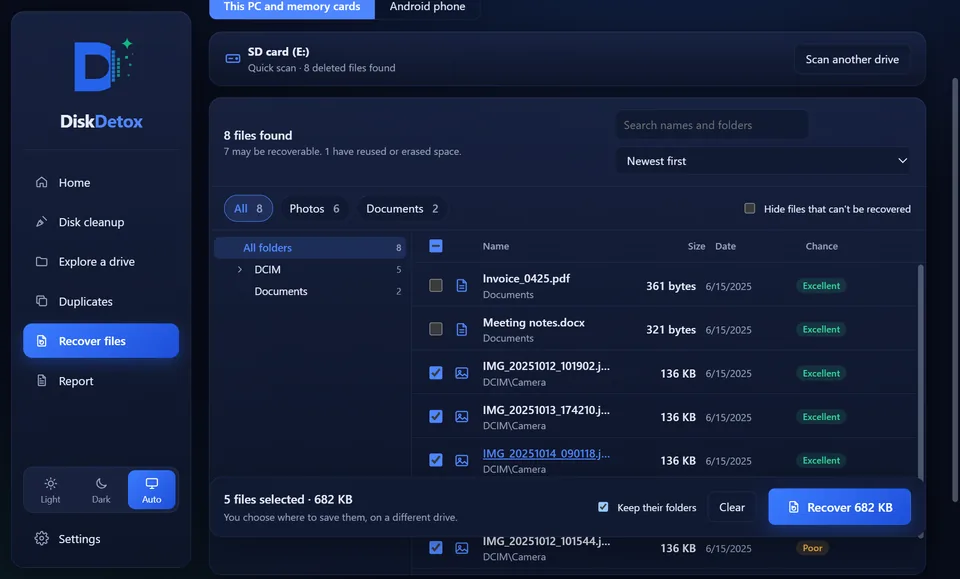
- Search by name, filter by type (photos, videos, documents) or sort by date and size.
- Click a file to see a preview and its recovery chance.
- Tick the files and save them to a different drive.
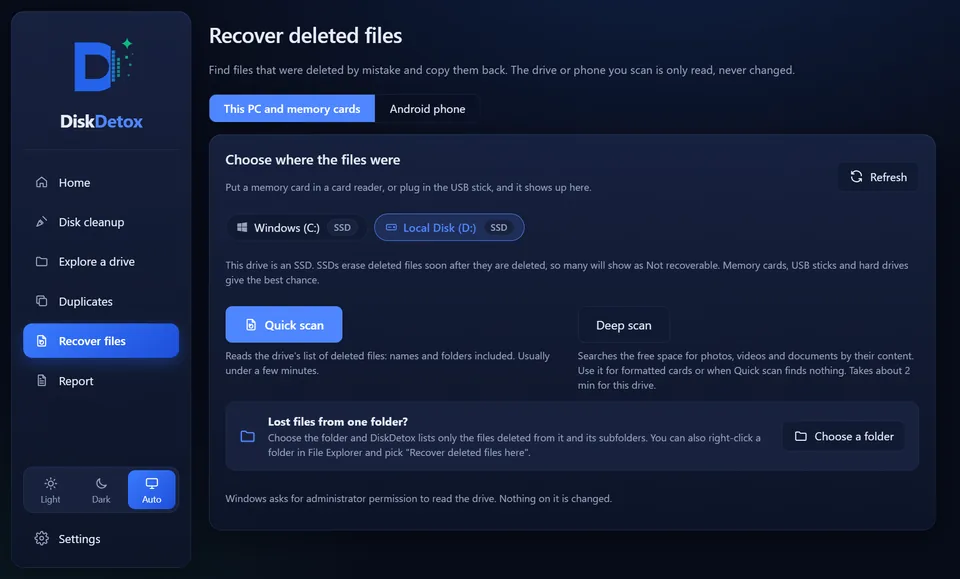
If the quick scan finds nothing, for example because a memory card was formatted, run a Deep scan. It searches free space for typical file content such as JPG, PNG, HEIC, MP4, MOV, PDF, DOCX, XLSX and ZIP. Scans are saved for 30 days, so you can come back later without scanning again.
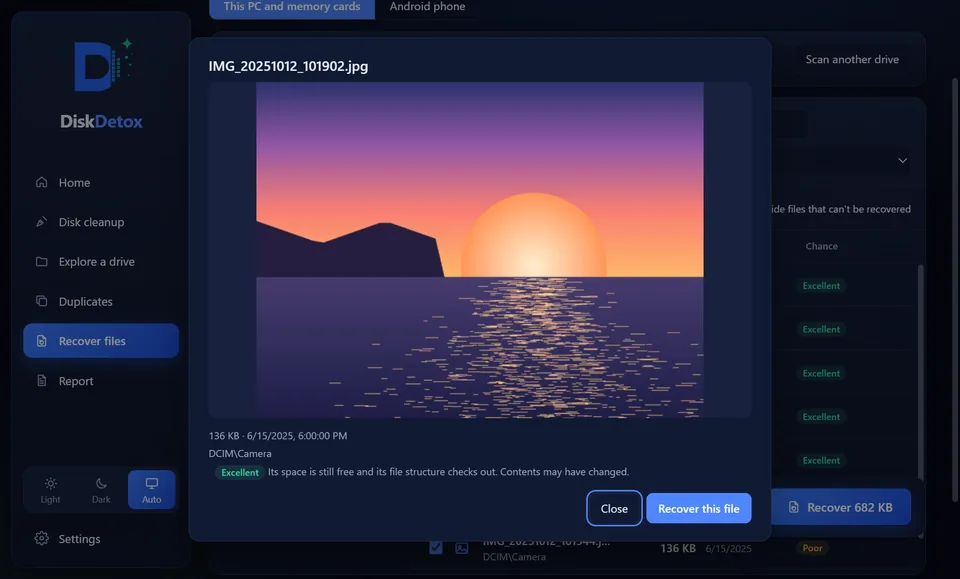
Look for deleted filesWith a preview and a recovery chance for every file. DiskDetox only reads the scanned drive.
Quick scan or deep scan?
| Quick scan | Deep scan | |
|---|---|---|
| Searches | the file system's list of deleted files | free space, by file content |
| File names and folders | kept | usually not; files are named by type |
| Time | seconds to a few minutes | much longer, depending on drive size |
| Best for | just deleted, Recycle Bin emptied | formatted card, nothing in the quick scan |
What are the chances?
DiskDetox rates every file from Excellent to Lost. Roughly:
| Situation | Chance |
|---|---|
| Just deleted, drive barely used since | very good |
| USB stick, memory card or hard disk (HDD) | usually good |
| Quick format | often good with a deep scan |
| Internal SSD with TRIM | low if time has passed |
| Full format or overwritten | practically none |
SSDs release deleted areas with TRIM and often wipe them soon after. A full format (without “Quick Format” ticked) has also overwritten all data with zeros since Windows Vista. In those cases DiskDetox marks the file “Lost” and doesn't save an empty file.
Alternative: Windows File Recovery from Microsoft
Microsoft offers Windows File Recovery (winfr), a free command-line tool on the Microsoft Store. It has no interface and no preview; a command looks like this:
winfr C: E: /regular /n \Users\Name\Documents\*.docx
If you're comfortable on the command line, it works. DiskDetox shows what it finds as a list with previews instead.
When you need a data recovery lab
Software only helps with logically deleted files. If the drive clicks or grinds, isn't detected at all or was dropped, switch it off and contact a professional data recovery lab. Every further attempt to start it can make things worse.
Frequently asked questions
Can I recover files deleted with Shift + Delete?
Often, yes. They skip the Recycle Bin, but their data stays on the drive like any other deleted file until it's overwritten. A quick scan often finds them with their name and folder.
How long can deleted files be recovered?
There is no fixed limit. What matters is whether the space has been overwritten. On a busy drive C that can happen within hours; on a memory card in a drawer it may not happen for years.