
PC cleaner for Windows: free up disk space safely and get deleted files back
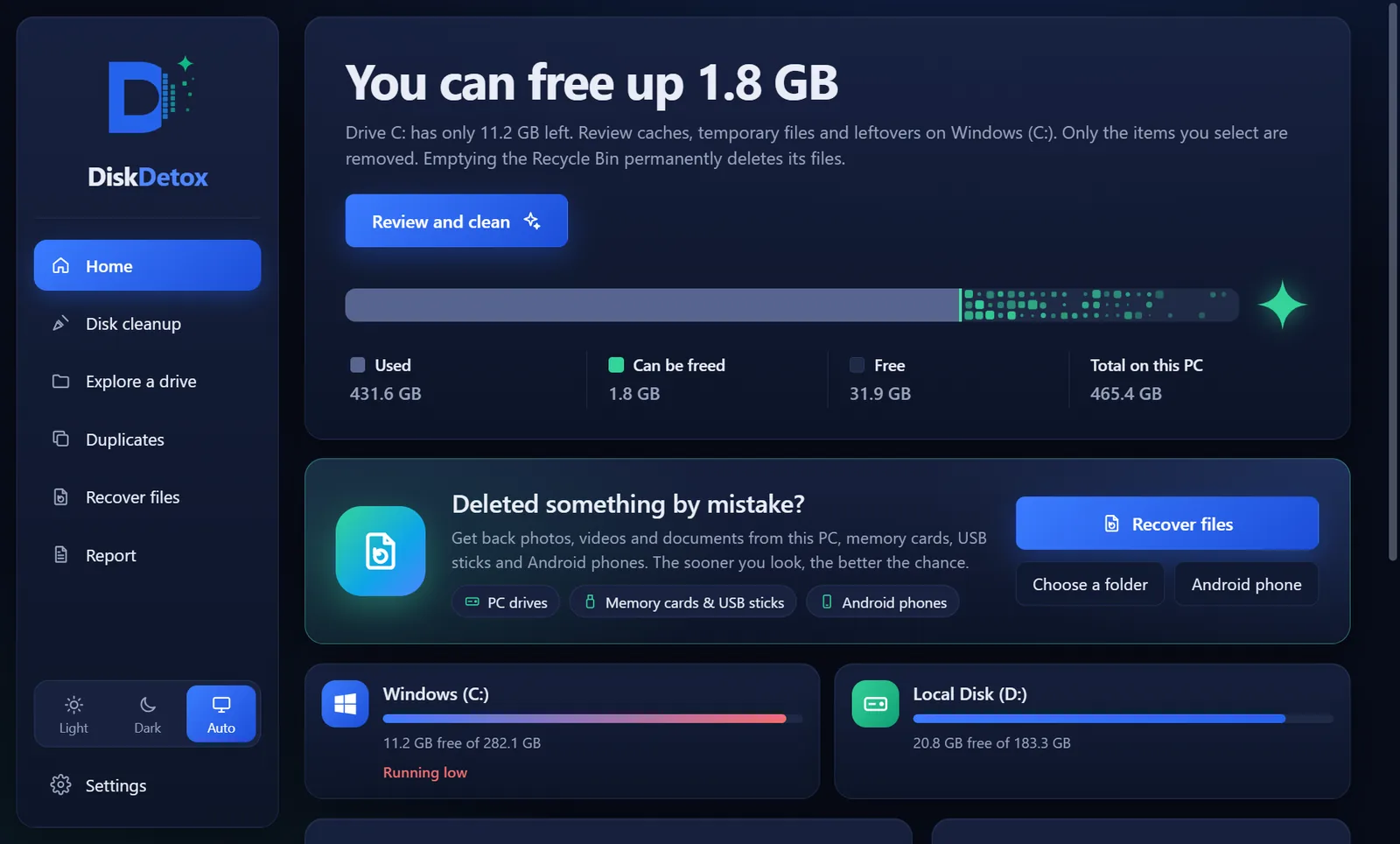
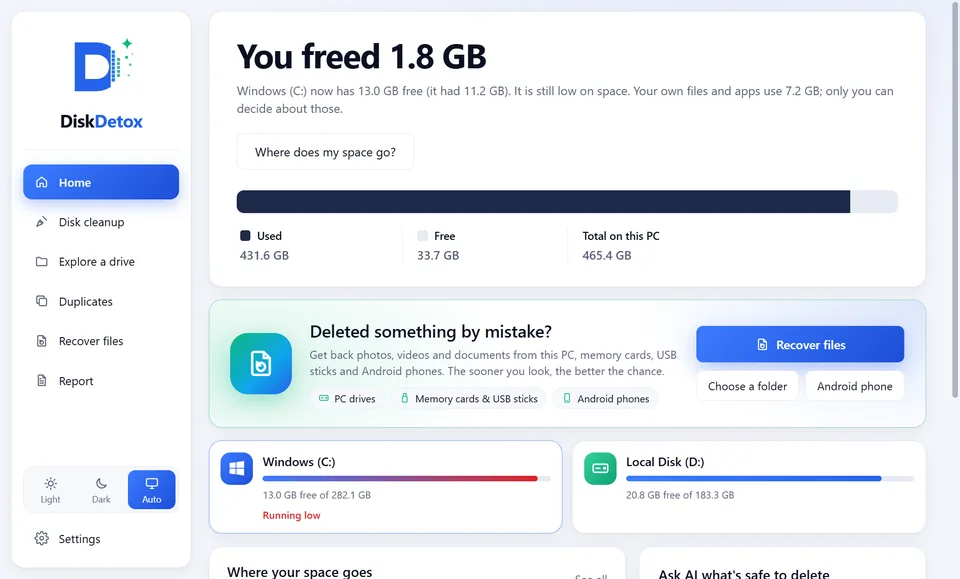
DiskDetox is a free PC cleaner for Windows. It shows folder by folder what fills drive C and only deletes caches once you agree. It recovers photos and documents deleted by mistake from hard drives and memory cards, and from Android phones over USB.
Free · no ads · no account · Windows 11 & 10
DiskDetox in 53 seconds
The video shows the app on a demo PC.
A clean-up that explains itself
Every item is listed with its location, size and a short explanation. Only what you tick is removed. DiskDetox finds:
- temporary files and the Chrome and Edge browser caches
- app caches from Microsoft Teams, Discord, Spotify, Slack and VS Code
- developer caches from npm, pnpm, Yarn, pip, Gradle, Maven and NuGet
- old app versions and leftover update installers
If an app is running, DiskDetox skips the files it has open.
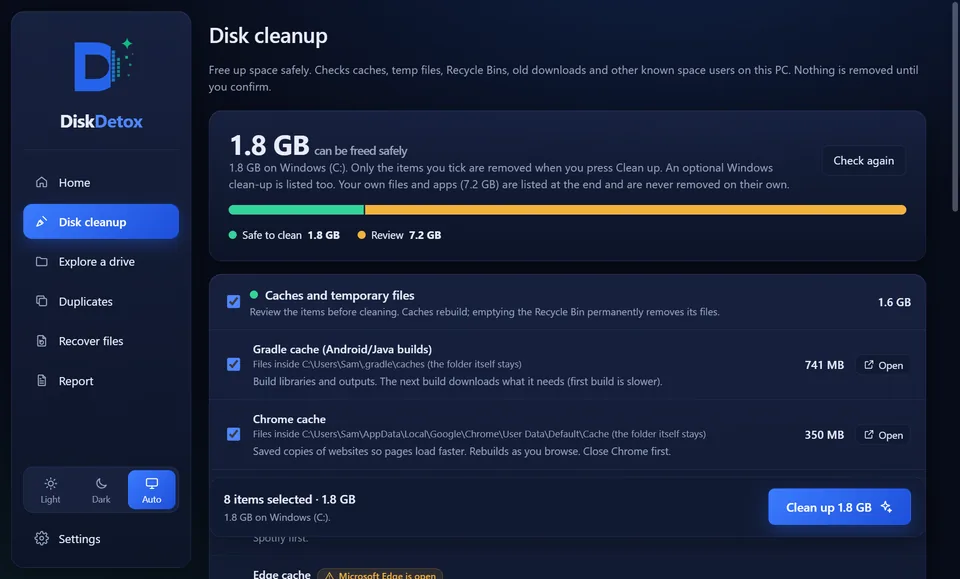
Space gained, measured
After the clean-up, DiskDetox measures the free space on the drive again and shows the difference.
With administrator permission it can go deeper when the files exist: Windows.old, superseded Windows components and the Delivery Optimization cache (each with Windows' own tools), orphaned installer files, hiberfil.sys, and OneDrive files you want kept online only.
Disk space analyzer
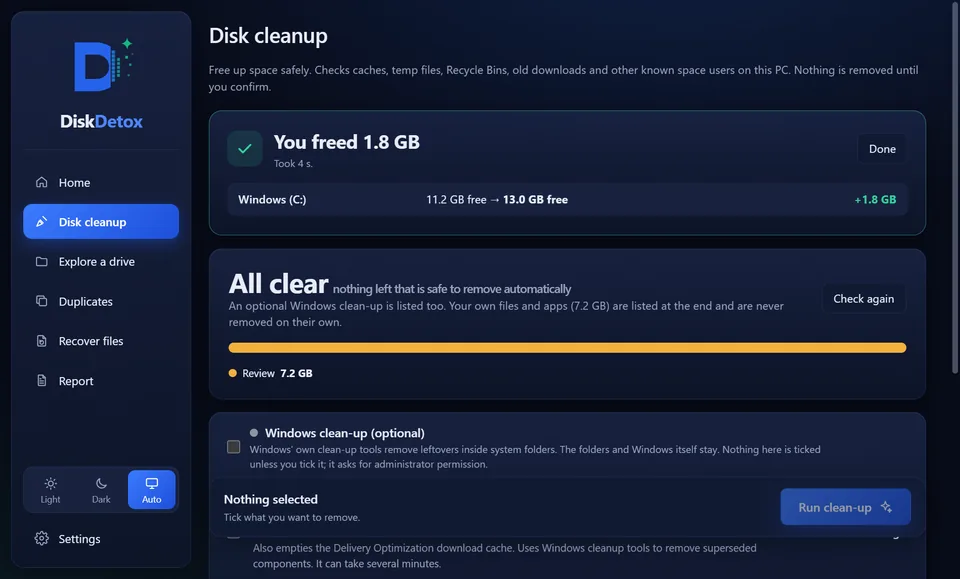
A scan measures every folder on a drive and shows the result as a map: the bigger the tile, the more space the folder takes. Click to open it. Next to the map there's a list of the largest files and a breakdown by file type, such as videos, archives or disk images.
Any file opens in File Explorer or moves to the Recycle Bin. More: find large files and DiskDetox compared with WizTree and TreeSize.
Recover deleted files
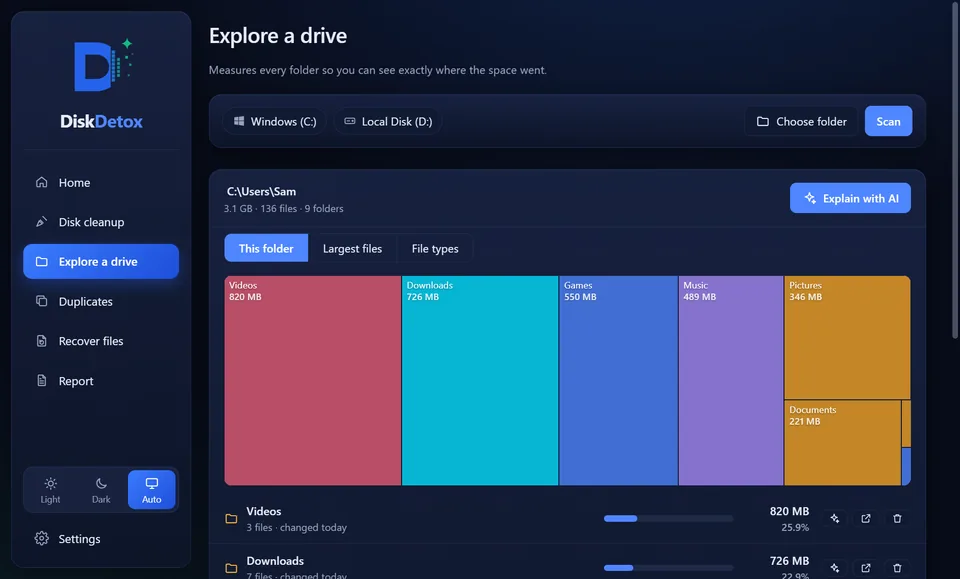
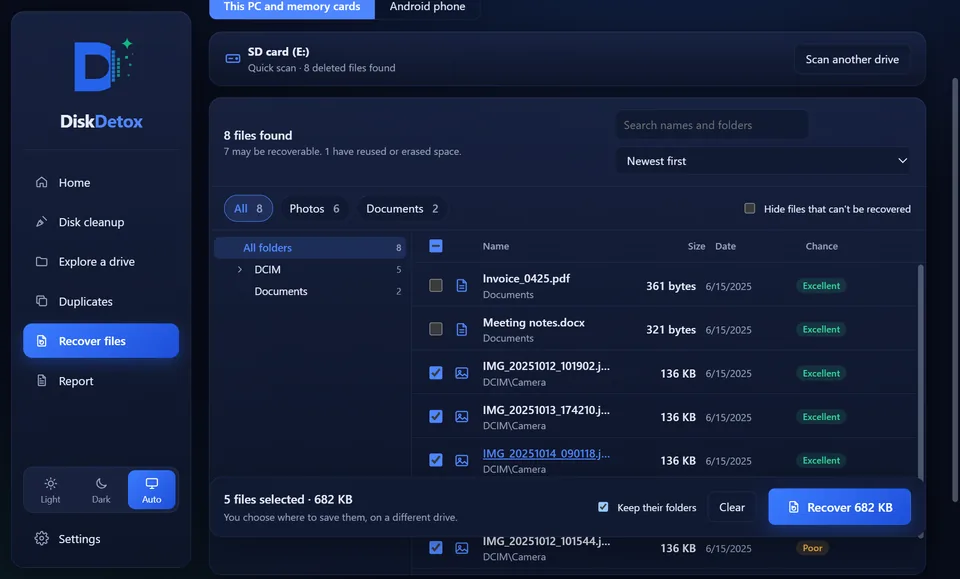
DiskDetox searches PC drives, USB sticks and memory cards formatted with NTFS, FAT32 or exFAT for deleted photos, videos and documents, including files from an emptied Recycle Bin.
The quick scan reads the drive's list of deleted files with their names and folders. The deep scan searches free space for file content, which finds photos even on a formatted card. Before saving you get a preview and a recovery chance from “Excellent” to “Lost”. Files are saved to a different drive; DiskDetox only reads the one it scans.
Get photos back from an Android phone
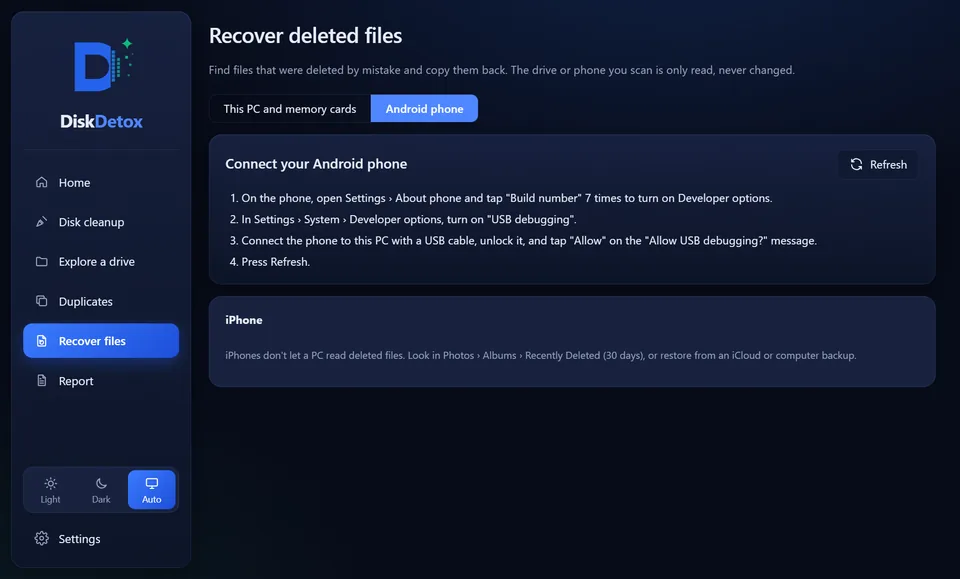
Over a USB cable, with USB debugging turned on, DiskDetox looks through Recently deleted, the gallery trash, thumbnails and WhatsApp and Telegram media. Photos that are still on the phone are hidden.
iPhone is not supported: Apple does not allow a PC to read deleted files.
Find duplicate files and photos
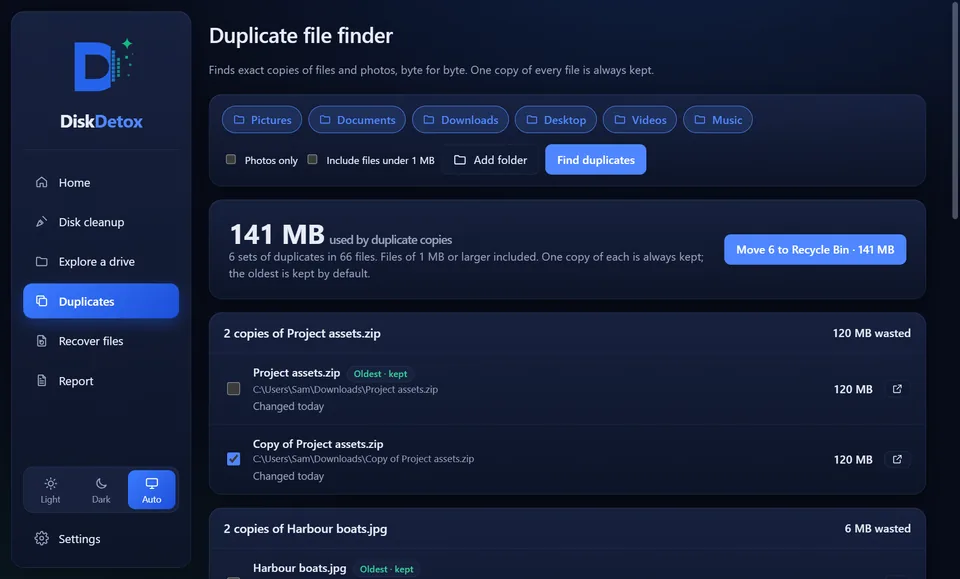
DiskDetox compares files byte for byte in Pictures, Documents, Downloads or any folder you add. One copy of every file stays; the others go to the Recycle Bin. Code projects are left out of the search.
AI explanations (optional)
What is C:\ProgramData\Package Cache, and can it go? A click on “Explain with AI” returns an explanation and a rating: safe to delete, medium risk or high risk.
It needs your own Claude, OpenAI or Gemini API key, which DiskDetox stores encrypted on your PC. Only names, sizes and dates are sent, never file contents and never your Windows user name.

A storage report for every drive
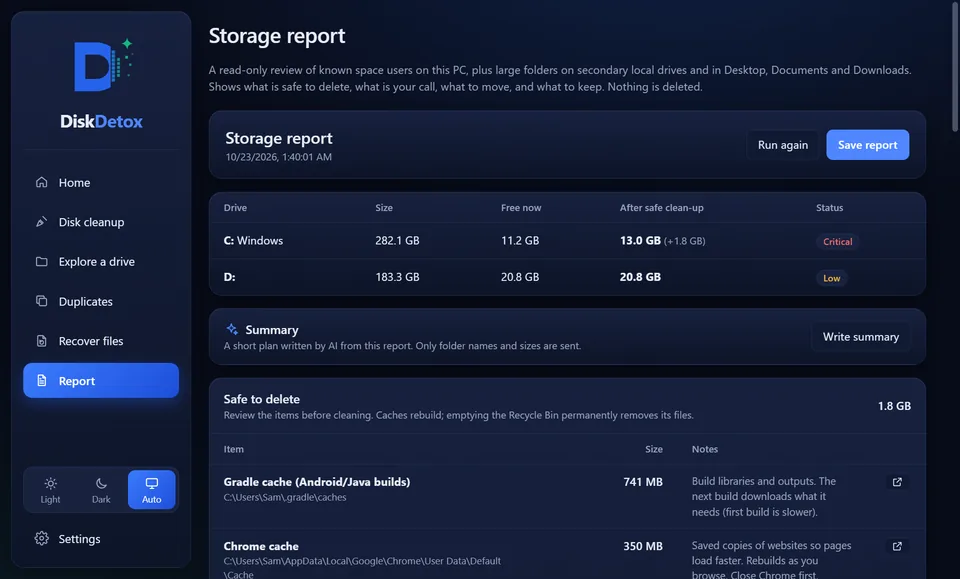
The report sorts each drive's contents into four groups: safe to delete, your call, better moved to an external drive or the cloud, and keep. It shows free space now and after the safe clean-up, and you can save it as a web page.
Privacy
- DiskDetox needs no account and shows no ads.
- Scans, results and recovered files stay on your PC.
- Anonymous usage counts, without file names or paths, can be switched off in Settings.
- There is no registry cleaner, and DiskDetox doesn't promise a faster PC.
Guides: clean up Windows and recover files
Guides using Windows' built-in tools, and where DiskDetox saves you steps.
Free up space
Free up disk space
Drive C full? The steps that work, from Storage Sense to hidden space hogs.
Delete temporary files
The Temp folder, %temp% and Settings: what can safely go and what can't.
Clear cache
Clear Windows, Store, DNS and app caches, Microsoft Teams included.
Find duplicate files
Find identical files and photos byte for byte; one copy is always kept.
Find large files
See what's using space, show folder sizes and track down the biggest space hogs.
Disk Cleanup
Run cleanmgr, clean up system files and what each option deletes.
Delete Windows.old
Remove the previous Windows installation safely and free many gigabytes.
WinSxS cleanup
Shrink the component store safely with DISM, without breaking Windows.
Delete hiberfil.sys
Get several gigabytes back by turning off hibernation, and why pagefile.sys stays.
Recover files
Recover deleted files
Even from an emptied Recycle Bin: first steps, built-in options, quick or deep scan.
Recover deleted photos
Get pictures back from a PC, a camera card or an Android phone, WhatsApp photos too.
Recover Recycle Bin
Restore files from the Recycle Bin, even after it was emptied, with their original names.
SD card & USB recovery
Recover deleted or formatted memory cards and USB sticks with a deep scan.
Comparisons
DiskDetox on the Microsoft StoreFree for Windows 11 and Windows 10.